The finish decides almost everything
Matte is the forgiving default: budget-friendly, writable with ordinary pens, dries fast on inkjet, no fingerprints. Glossy makes color pop and smears if touched early; it also resists handwriting (fine-point permanent marker only). Printable vinyl is flexible, tear-resistant, and the only real choice for water bottles, laptops, and anything outdoor — but it wants pigment ink or a laser printer. Clear polyester disappears on jars and looks premium, with two catches: home printers cannot print white, so designs need strong dark contrast, and inkjet on clear smears more than on anything else.
Finish × printer compatibility
| Finish | Water resistance | Inkjet | Laser |
|---|---|---|---|
| Matte paper | None | Excellent — dries almost instantly | Excellent |
| Glossy paper | Low | Excellent, needs drying time | Poor — coating can melt in the fuser |
| Printable vinyl | High when sealed | Good with pigment ink | Excellent — check the pack says laser-safe |
| Clear polyester | Medium | Fair — smearing risk | Excellent |
The one dangerous mismatch: inkjet-only glossy or clear sheets through a laser printer. The laser's fuser runs hot enough to melt inkjet coatings onto the drum — an expensive repair for a $12 pack of stickers. The inkjet/laser differences run deeper than stickers; the full comparison is in inkjet vs laser for printables.
Project match chart
| Project | Buy first | Reason |
|---|---|---|
| Planner stickers | Matte white inkjet | Writable, no smears under a resting hand. |
| Pantry labels | Matte or waterproof white | Readable; survives being wiped. |
| Bath and kitchen labels | Water-resistant vinyl | Splashes and damp hands are the whole job. |
| Laptop and bottle decals | Glossy printable vinyl + laminate | Color, flexibility, and wear resistance together. |
| Clear jar labels | Clear polyester | Subtle — but only with high-contrast, no-white designs. |
| Gift labels that skip twine | Full-sheet matte sticker paper | Cut like tags, peel and stick — see the gift tag guide. |
The corner test
Before printing a full design across a new pack: print one small sticker in a page corner. Let it dry as the package says. Then rub it with a dry fingertip, then a damp cotton swab. Dry-rub smearing means more drying time or the wrong ink type; wet smearing tells you whether laminate is optional or mandatory for the sticker's real life. Two minutes, one corner, and you know how the whole pack behaves.
Kiss-cut versus full-cut
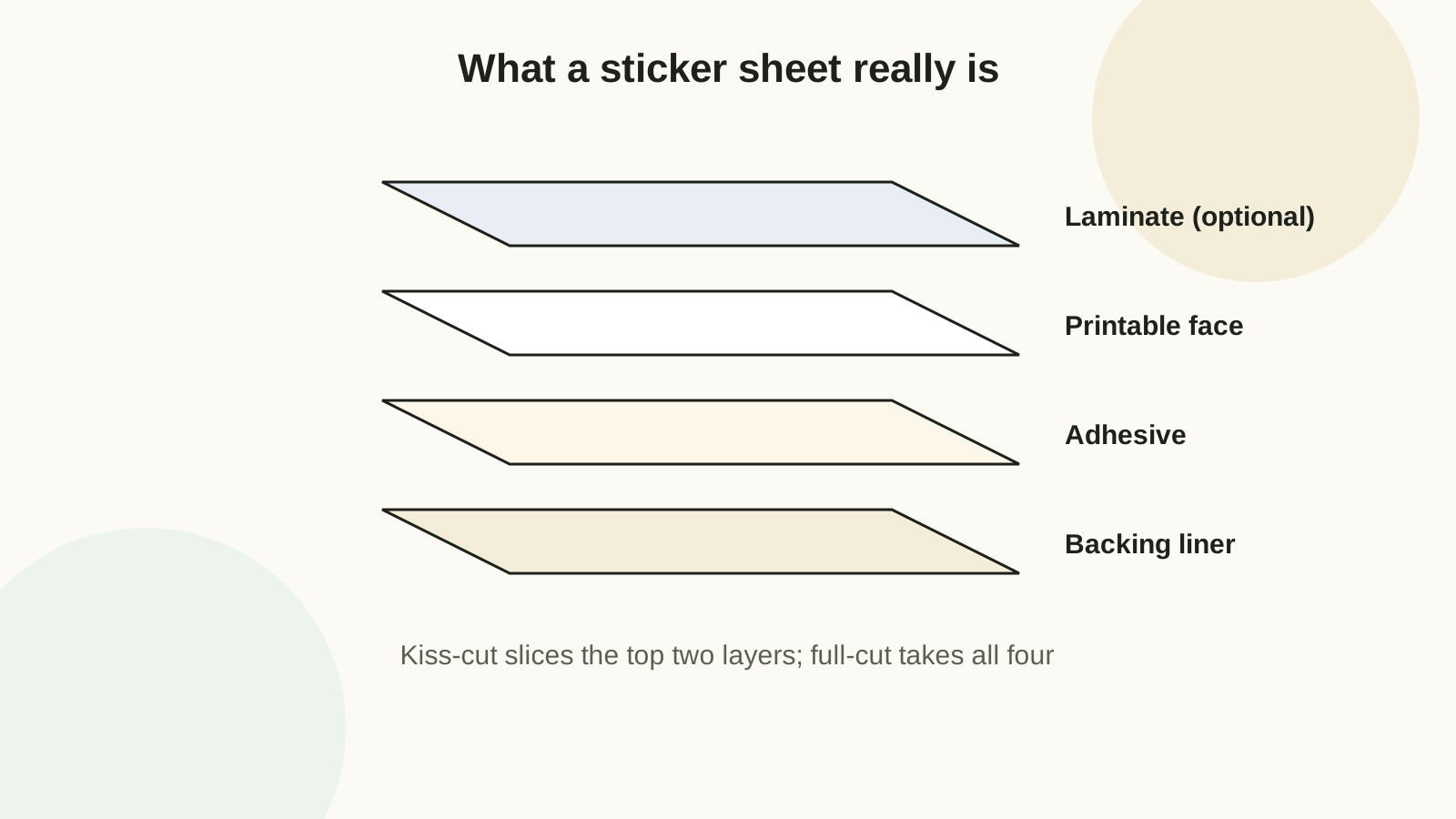
Kiss-cut slices only the sticker layer, leaving the backing intact — right for planner sheets and anything stored or gifted as a sheet. On a cutting machine, use the sticker-paper setting; if it cuts through the backing, reduce pressure or blade depth and re-test on a corner. Full-cut goes all the way through for individual product-style labels. Machine tearing corners? In order: lower the pressure, check for a too-sticky mat grabbing the backing, replace the blade. Raise passes only once the backing survives.
Waterproofing with laminate
Inkjet ink runs when wet — always, eventually. For stickers that face dishwashers, water bottles, or weather: apply a clear self-adhesive laminating sheet over the printed page before cutting, pressing it down from the center outward with a scraper or old gift card to chase out air bubbles. Then cut through both layers at once, so the laminate edge is sealed to the sticker edge. Test any spray sealer on one sticker first — some coatings make inkjet ink bleed or shift color on contact.
Feeding and storage
Sticker sheets are thicker and higher-friction than copy paper: fan the stack, load one sheet at a time, and use the rear or manual tray when the printer has one. If the printer grabs multiples anyway, wipe the pickup rollers with a damp cloth. Store unused sheets flat in a resealable sleeve — humidity curls the backing, and curled sheets are what actually cause most "printer hates sticker paper" complaints. Keep printed glossy sheets away from heat and pressure until fully cured; dry-to-the-touch and cured are hours apart.
Sticker paper varies more between brands than almost any craft supply. Buy the 10-sheet pack, run the corner test, and only then commit to the 100-sheet box.
FAQ
Do stickers need laminate?
Planner stickers and pantry labels: no. Bottles, lunch boxes, bath products, anything outdoor: yes, or print them on a laser printer where toner is already waterproof and skip to sealing only the edges of high-wear stickers.
Can I write on glossy sticker paper?
Water-based and gel pens smudge on gloss. Use a fine-point permanent marker, or leave a matte-white knockout area in the design for handwriting.
Why is my cutting machine tearing the sticker paper?
Blade pressure too high, mat too sticky, or blade dull — in that order of likelihood. Test each fix on one corner before recutting a sheet.